***Please make sure to unplug the machine from the power outlet***
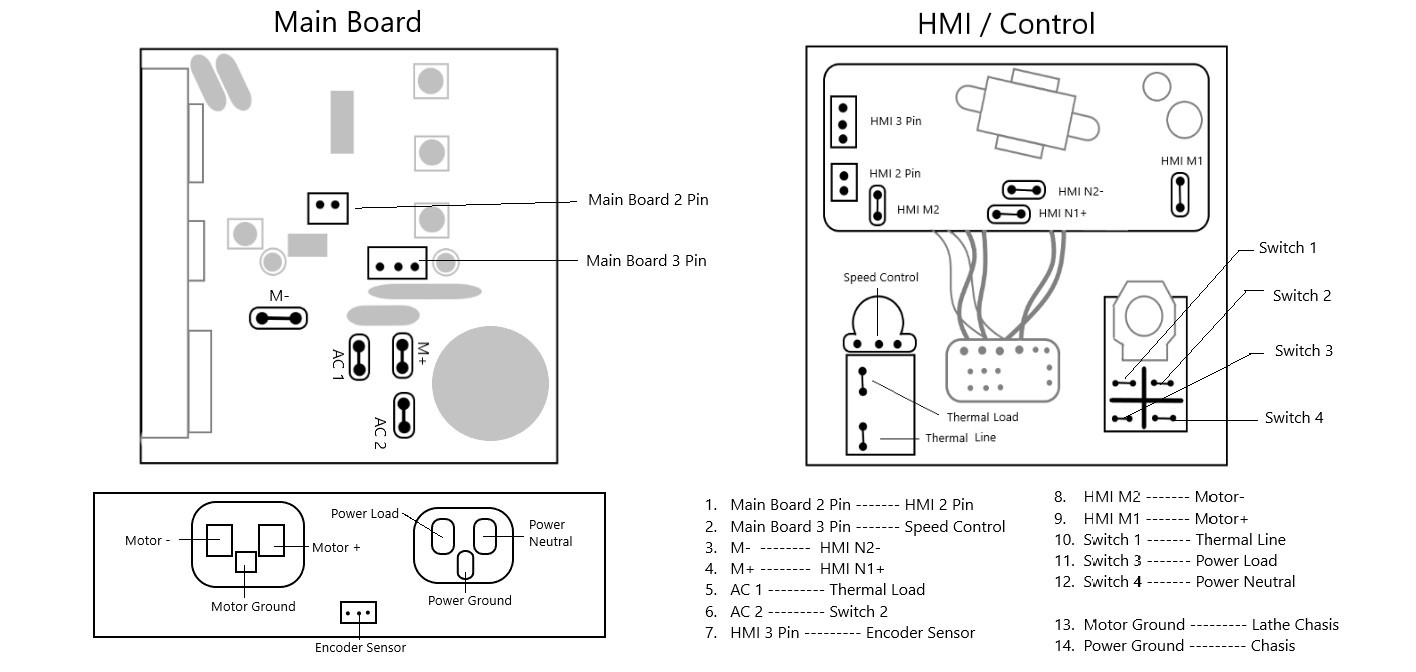
Check the wires: So the first thing you can do is check the wires. There are wires under the bed of the lathe. Sometimes with vibrations or moving the machine the wires can come loose. Double make sure those wires are secure and in the correct spot. There are also a bunch of wires inside the control box itself. You can remove the HMI panel with the four screws. After removing the screws you can gently place the HMI down and inspect the wires. Give all of those wires a little tug and make sure none pop off. If they do you can pinch them back in their correct spot. Using the diagram below, make sure all of the wires are in the correct place.
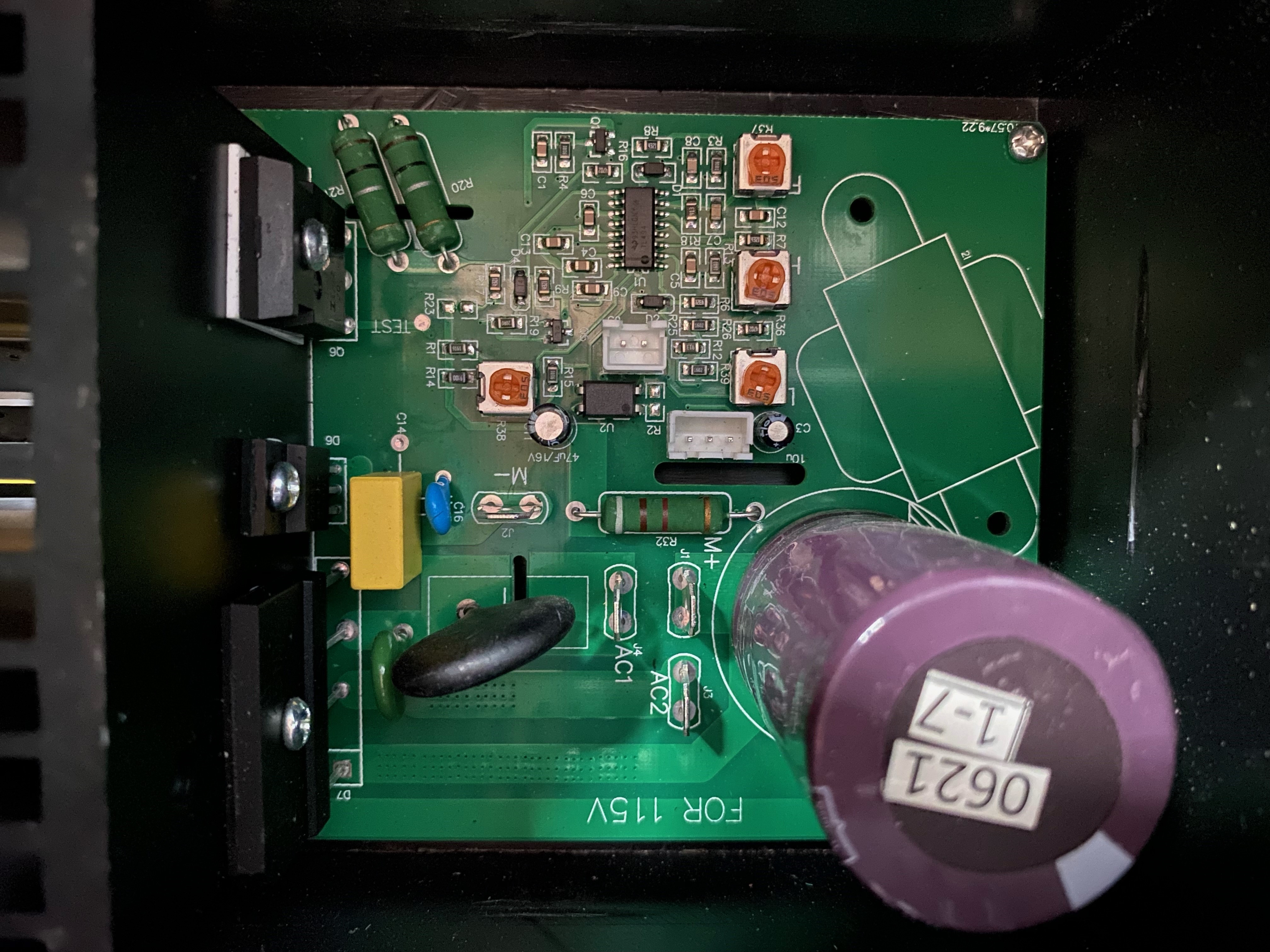
Take a picture of the board: So if the step above does not solve the issue then we will need to see the MCU. Using the image below as a guide, we need you to take a picture of the board so we can see if we can spot the issue. (You do not need to remove the wires for the picture)
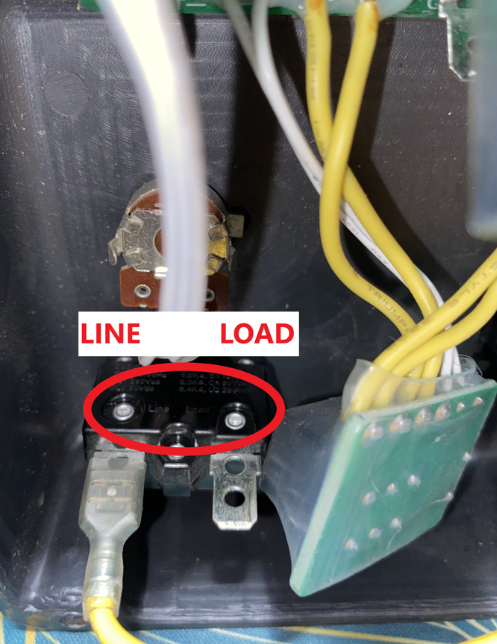
Another thing I want you to check is this part on the back of your control panel (HMI). Yours may be tilted on the side. I just want you to check and make sure the thermal LINE and thermal LOAD are wired correctly. You will need a good flash light, and if your eyes are not that great, like mine are bad, you may need a magnifying glass or something that will help you see it. But on the black plastic that is circled red it will tell you which one is the LINE and which one is the LOAD. Then double check the wiring diagram included in this email make sure they are in the proper position.